
- Installing iOS or Android updates triggers background processes like Spotlight reindexing on iPhone and similar on Android.
- This indexing causes spikes in CPU and GPU usage, leading to slower animations, warmth, and faster battery drain.
- Older phones may be more affected; newer devices with efficient chips may not notice a huge difference.
- The issues are usually temporary; waiting, keeping phone plugged in and on Wi-Fi helps finish indexing faster.
- If problems persist, updating apps, freeing storage, or a factory reset may help; if still slow, hardware may be struggling.
- Annual Over-the-Air (OTA) software updates for software-defined vehicles (SDVs) are projected to reach over 2 billion globally by 2035, up from 546 million in 2025.
- Level 3 and above SDVs will make up 16.7% of new vehicles sold in 2026, signaling a shift from hardware sales to software monetization.
- Asia-Pacific, especially China, leads this market, with significant growth expected in OTA-capable vehicles and updates.

Phone software updates can cause temporary performance issues, including sluggishness, warmth, and battery drain, primarily due to background indexing processes.
After an update, both iOS and Android systems run extensive background tasks to ensure data integrity.
On iPhones, for instance, Apple states that Spotlight reindexes all data, a process that can take hours or even days depending on the amount of data.
Similarly, Android devices also undergo a reindexing process, which is crucial for the system to confirm that everything is in order post-update.
This indexing can lead to spikes in CPU and GPU usage, resulting in fewer resources available for apps and animations.2
Once indexing is complete, performance typically returns to normal.
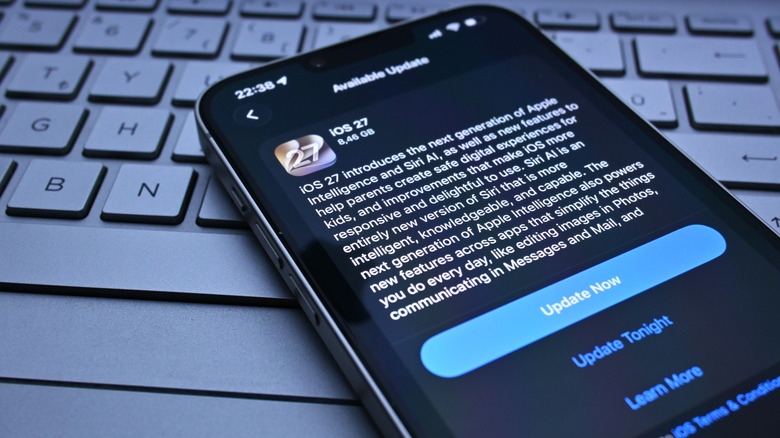
However, older devices may experience more significant slowdowns due to their limited hardware capabilities.
Newer devices with more powerful chips are less likely to show noticeable performance drops.34
To mitigate these issues, users are advised to keep their devices plugged in and connected to Wi-Fi during the update process, as this can expedite indexing completion.
If performance issues persist, users may need to consider freeing up space, updating apps, or even performing a factory reset as a last resort.
Ultimately, if a device continues to struggle post-update, it may indicate that the hardware is nearing the end of its life.
“Apple says Spotlight reindexes all data after an iPhone update, which can take hours or days depending on data volume; keeping the device plugged in and on Wi-Fi speeds up the process, as part of indexing only finishes when the iPhone is not in use.”
Pluang