- On August 17, Microsoft made five preview builds available across different channels and testing versions, with new features and changes.
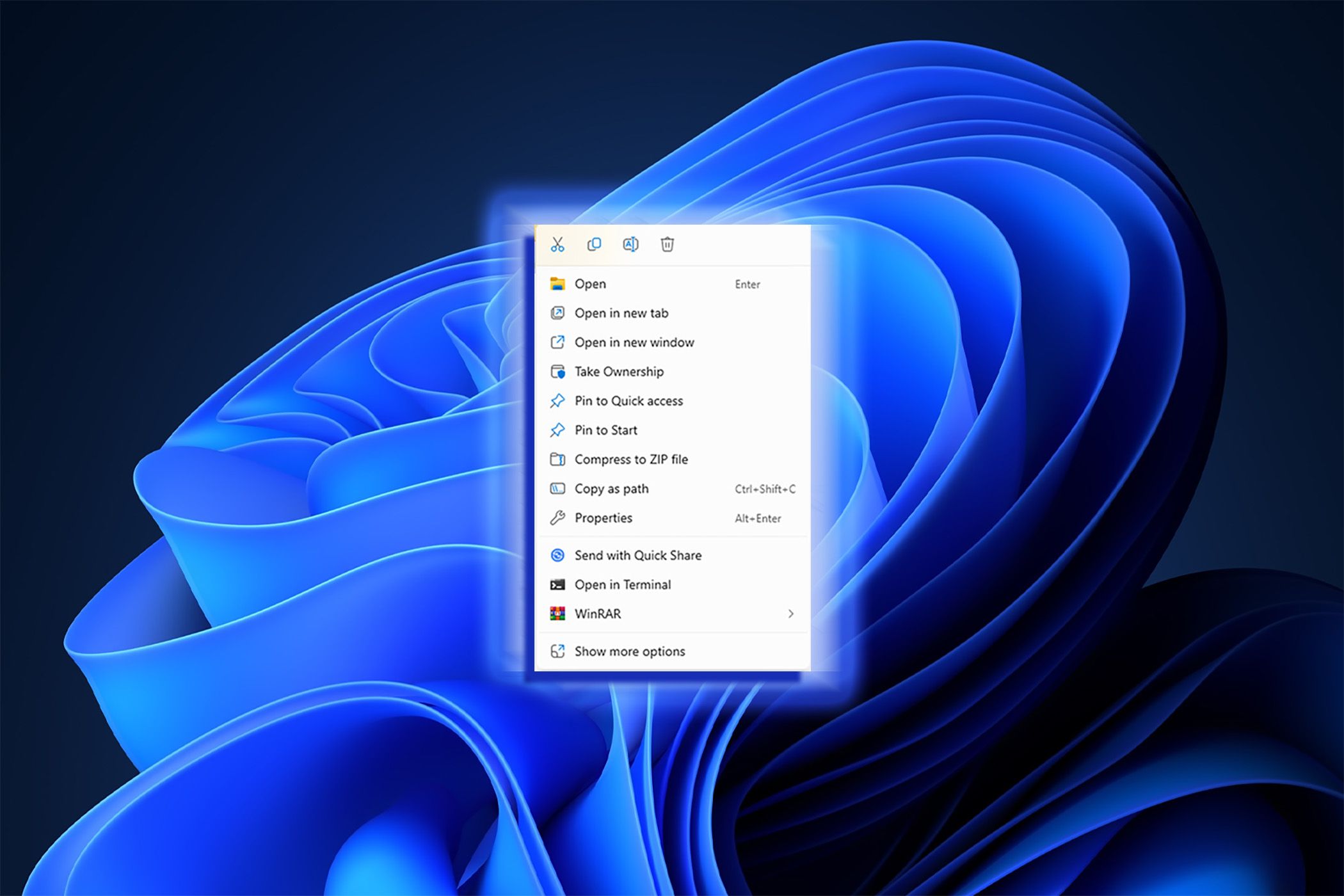
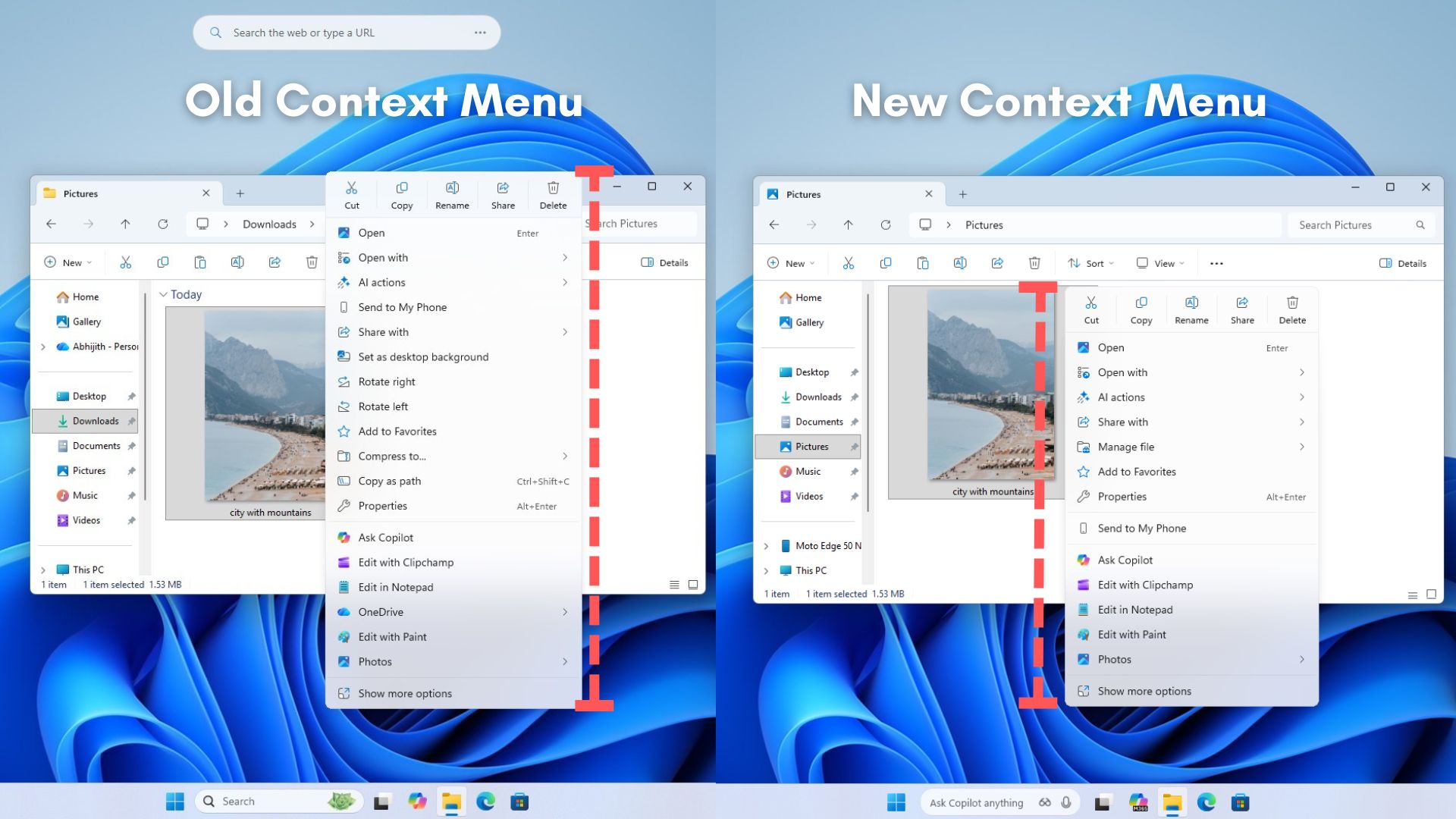
- In this latest wave of previews, the company began public testing of a new fully customizable context menu.
- So far in August, perhaps the biggest change is the redesigned context menu, which is now fully customizable, simpler, and faster.
- Microsoft is no longer shipping Windows Management Instrumentation Command-line (WMIC) and the Drag Tray feature.
- Microsoft is also pulling the plug on the Drop Tray experience from this build after hearing feedback from users.
Microsoft's latest update for Windows 11 introduces a fully customizable context menu, enhancing user experience by allowing users to arrange primary actions vertically. This change aims to reduce clutter and improve navigation speed.2
The new context menu is part of a series of updates released in August, which also includes improvements to the desktop background experience and enhanced photo backup options. On Windows 11 build 26340.9212, users will find new entry points in Settings > Home and Accounts for setting up Camera Roll, which automatically backs up photos and videos from mobile devices.
Additionally, Microsoft is streamlining recovery workflows, enabling features like Quick Machine Recovery and cloud rebuilds to operate online without manual intervention. The company has also decided to discontinue the Windows Management Instrumentation Command-line (WMIC) and the Drag Tray feature, responding to user feedback.45
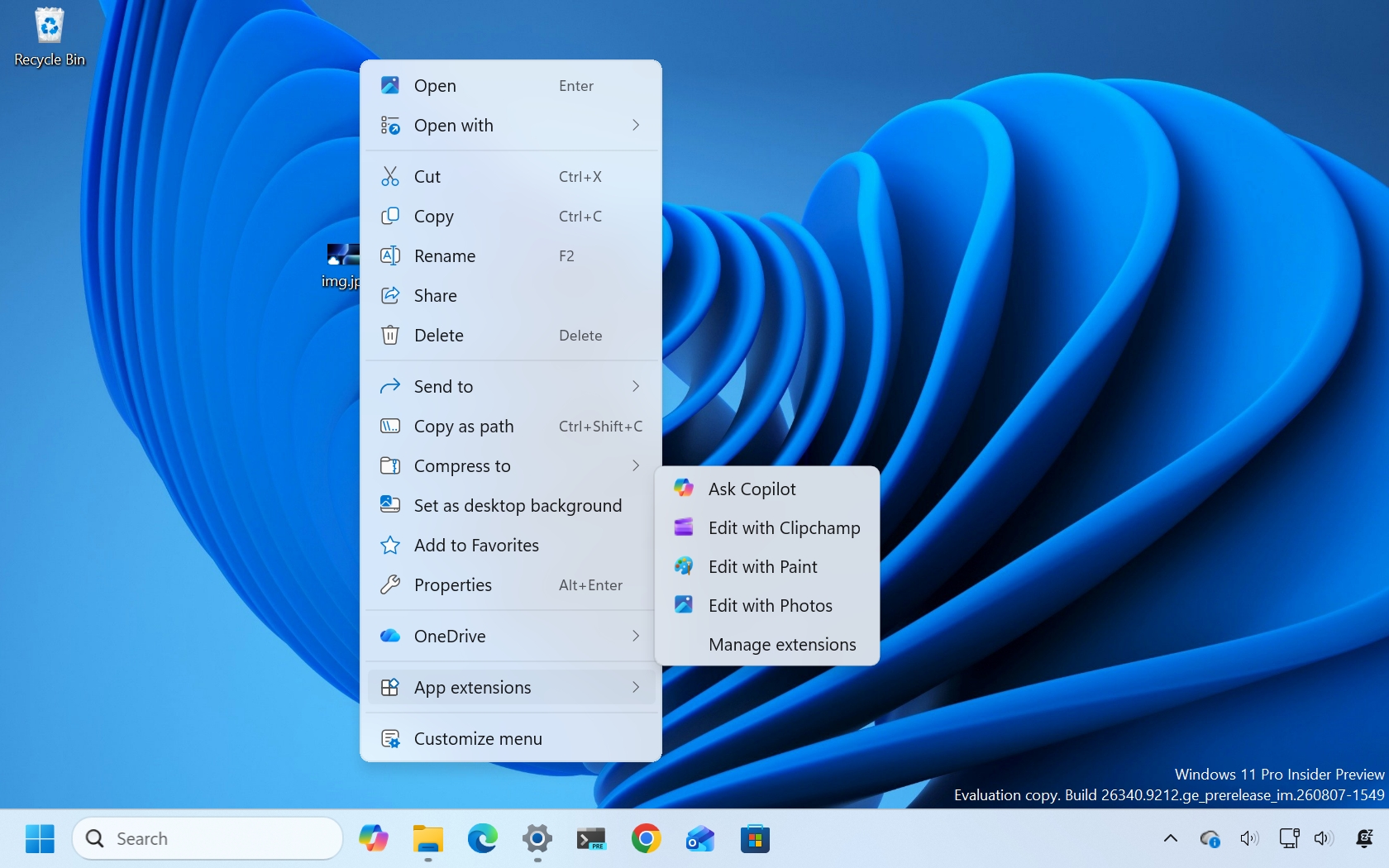
“The redesigned context menu is now fully customizable, simpler, and faster,” a Microsoft spokesperson stated, highlighting the focus on user-centric design. The vertical arrangement of primary actions, such as cut and paste, is expected to significantly enhance usability.3
Overall, these updates reflect Microsoft's commitment to refining the Windows 11 experience based on user feedback and technological advancements.
“The latest Windows 11 preview builds include a redesigned context menu that allows users to arrange primary actions vertically, enhancing usability. Additionally, Microsoft is discontinuing the Windows Management Instrumentation Command-line (WMIC) and Drop Tray features based on user feedback, signaling a shift towards a more streamlined interface.”
 Windows Latest
 Windows Central