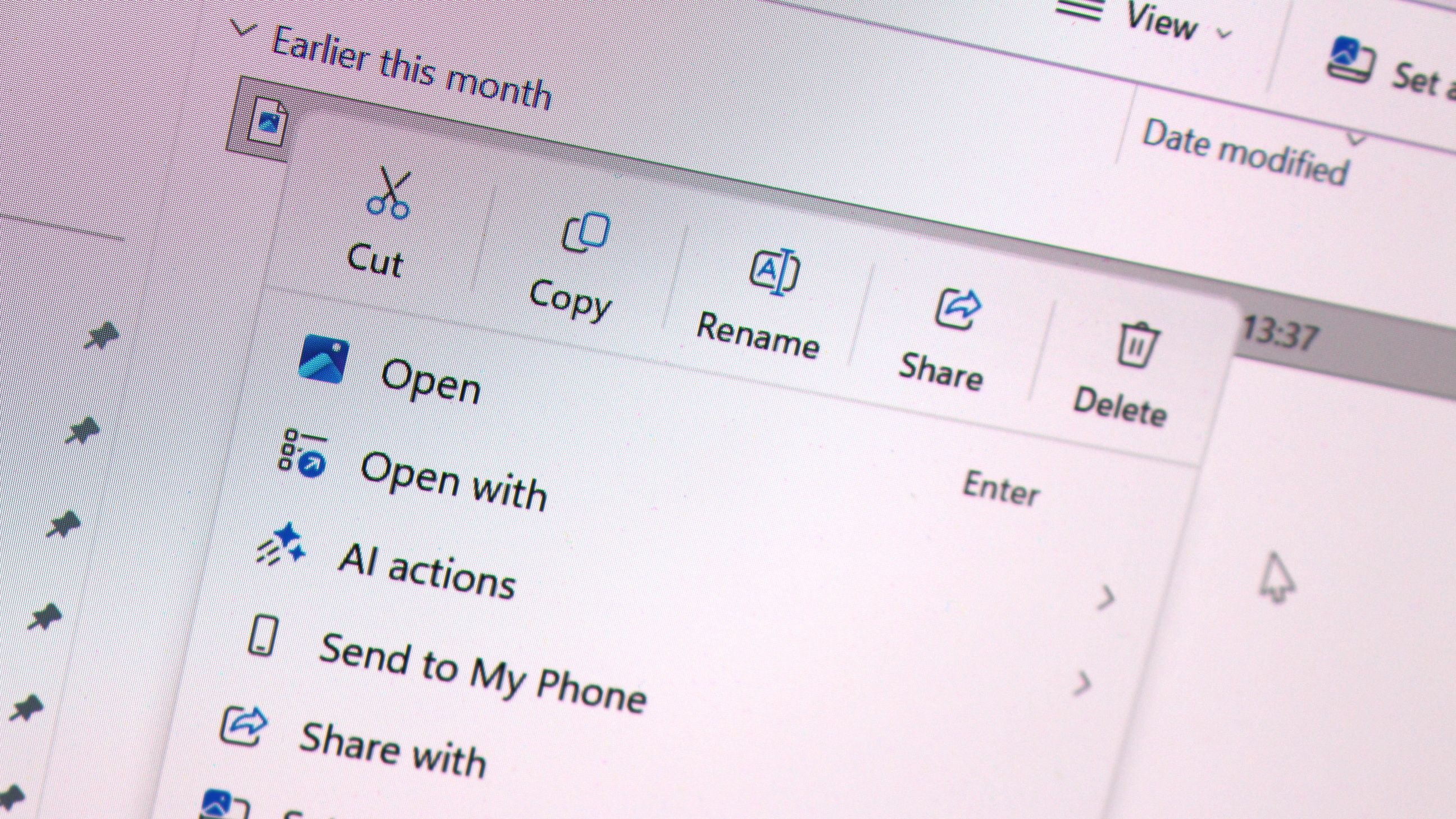
- Microsoft has announced a redesigned context menu in Windows 11 Insider builds, aimed at delivering a faster, simpler, and more customizable experience.
- The new context menu is part of the Windows 11 Insider Experimental Preview builds 26340.9212 (25H2) and 28120.2738 (26H1).
- File Explorer now launches faster, and the overall experience is designed to be more consistent and predictable.
- The updated context menu reduces top-level clutter and keeps commonly used actions easy to access.
- Users can now find a 'Customize menu' option at the bottom of the new context menu, allowing for tailored preferences.
- Microsoft acknowledged that the previous context menu was cluttered and sluggish, prompting the need for improvements.
Microsoft's latest Windows 11 Insider builds introduce a significantly redesigned context menu aimed at enhancing user experience. The new context menu, part of builds 26340.9212 (25H2) and 28120.2738 (26H1), is designed to be faster, simpler, and more customizable than its predecessors.16
The update addresses user concerns about the previous context menu's clutter and sluggishness. Microsoft engineer Michael Novak stated, "The menu became cluttered and sluggish, and we recognized the need to dramatically reduce the time between right-clicking and having a menu that’s fully ready to use." The new design reduces top-level clutter and keeps commonly used actions easily accessible.4
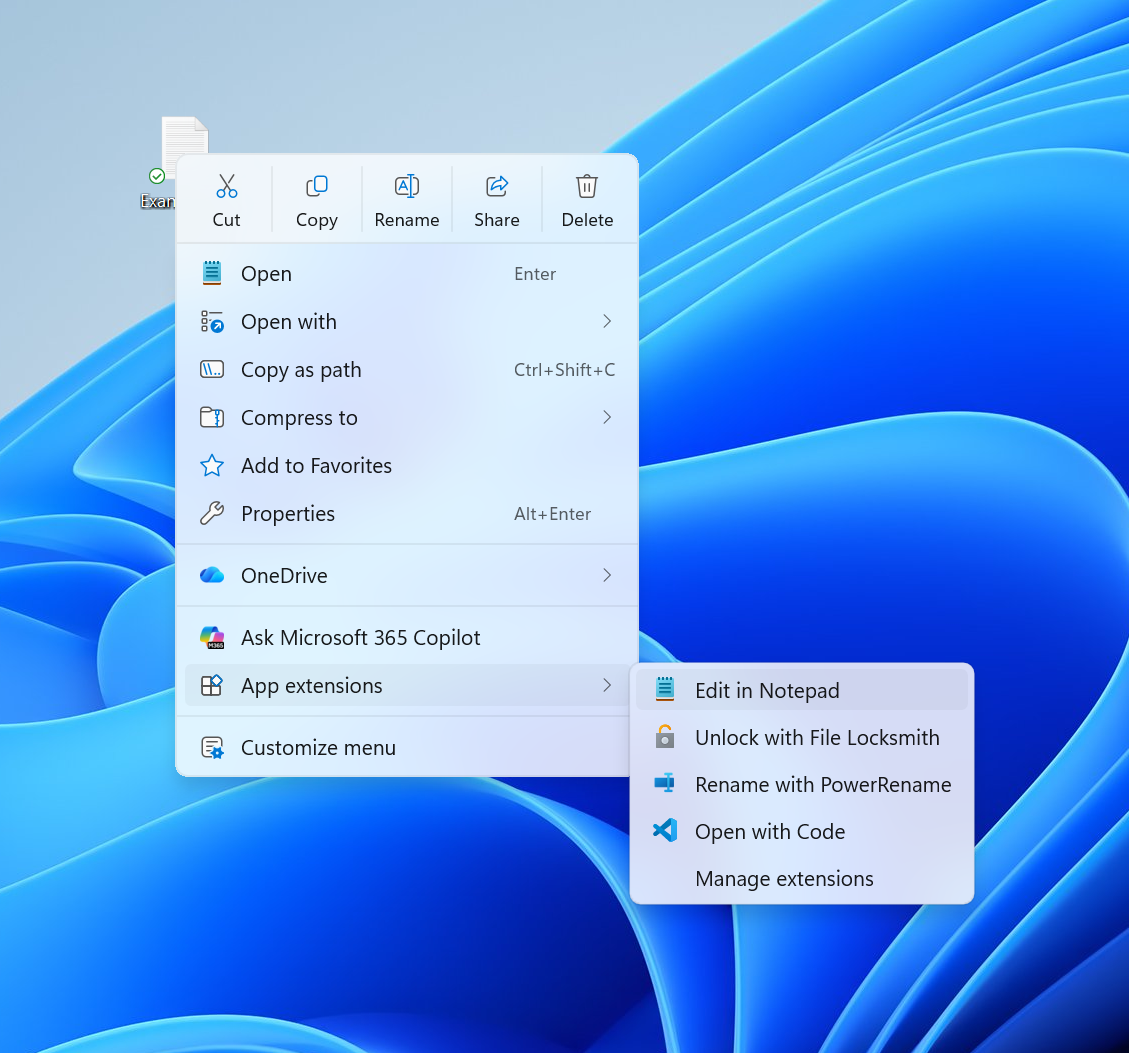
A notable feature is the 'Customize menu' option at the bottom, which directs users to a settings page for tailoring the menu to their preferences. This allows users to maintain their muscle memory from Windows 10, with options to list main commands inline instead of as icons.5
Additionally, the overall experience in File Explorer has been improved, with faster launch times and a more consistent interface. Microsoft aims to make interactions faster, more reliable, and less disruptive, focusing on the everyday experiences users rely on most.3
As the rollout continues, users can expect a more streamlined and efficient right-click experience that aligns with their workflow needs.
“The updated context menu reduces clutter and enhances accessibility to commonly used actions, according to Microsoft engineer Michael Novak. Users can now customize the menu to fit their preferences, including options to restore familiar commands from Windows 10.”
 Neowin
 Windows Central